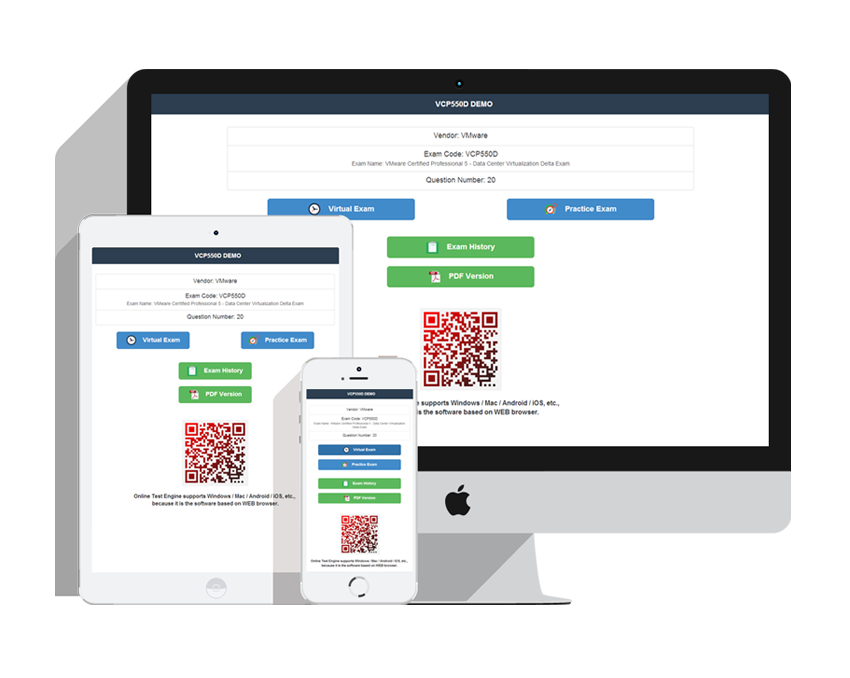
Free Demo


Why you choose VCE4Dumps
First, it is professional. NCM-MCI exam dumps vce and NCM-MCI dumps pdf are created by our IT workers who are specialized in the study of real NCM-MCI test dumps for many years and they check the updating of NCM-MCI vce dumps everyday to make sure the valid of NCM-MCI dumps latest, so you can rest assure of the accuracy of our NCM-MCI vce dumps. The NCM-MCI vce files of our VCE4Dumps contain questions and correct answers and detailed answer explanations and analysis, which apply to any level of candidates. You will pass the test with high rate If you practice the NCM-MCI dumps latest seriously and skillfully.
Second, the pass rate is high. May be you are still wonder how to choose, we can show you the date of our pass rate in recent years. The NCM-MCI exam dumps vce helped more than 100000+ candidates to get the certification and the pass rate is up to 79%. Many customers of VCE4Dumps reflected that our NCM-MCI vce dumps have 80% similarity to the real NCM-MCI test dumps. So if you prepare the NCM-MCI dumps pdf and NCM-MCI dumps latest seriously and remember the key points of NCM-MCI test dumps, your pass rate will reach to 80%. So you need to pay much attention to the NCM-MCI exam dumps vce before test.
Third, it is convenient. Online test engine is only service you can enjoy from our website. It is a simulation of formal test and you can feel the atmosphere of real test. What's more, it allows you to practice the NCM-MCI dumps pdf in any electronic equipments. If you open it with internet, you can do the NCM-MCI vce files anywhere. When you are waiting people or taking a bus, you can remember or practice the NCM-MCI vce files without any limitation.
For more info visit:
Nutanix NCM-MCI Exam Reference
The service of VCE4Dumps
First, you can download the trial of NCM-MCI free vce before you buy.
Second, you will be allowed to free updating the NCM-MCI exam dumps vce one-year after you become a member of us.
Third, we offer 24/7 customer assisting to support if you have any problems about the downloading or purchasing the NCM-MCI vce dumps.
Forth, we adhere to the principle of No help, Full refund. The money will be full refund if you got a bad result with our NCM-MCI test dumps.
What are the steps to follow for the registration of Microsoft Nutanix NCM-MCI Exam
Review the Exam Preparation Guide and Candidate Handbook.
Email [email protected] to request a unique invitation link to register for your exam.
Complete your exam at a mutually agreed upon time/date with your NCX/NPX Program Manager.
Review the Exam Day Checklist.
Helping You Out - Why Nutanix NCM-MCI Exam Is Important for Any Professional
Every professional in the network field knows that the Nutanix NCM-MCI exam is important to them. This is a very helpful test that can determine whether they should pursue a career in networking. A lot of people are interested in taking this test and are not sure whether they should go ahead and do so or not.
There are many reasons why someone would like to have a profession in networking. The first reason is that it allows for an individual to work with several types of networks and use them for different purposes. It also allows for an individual to learn how to use different types of technology so that they can improve their skills and increase their knowledge. All the Nutanix NCM-MCI Dumps are based on real exams and are updated regularly based on the latest syllabus changes.
Another reason why one would like to take this exam is because it will help them get a job as soon as possible. Since this is such a big exam, there are many companies that are looking for people who know how to take it well and pass it with flying colors. The more experience you have with taking this type of test, the better your chances will be at getting the job you want.
Do you want to enter into the big international companies? Do you want to meet influential people and extraordinary people of IT field? Do you want to make some achievements in your career? Getting the NCM-MCI certification may be the first step for you. As the major exam of Nutanix, Nutanix are recognized by most companies and it proves your IT ability. But the problem is how to get Nutanix certification quickly. It will be twice as much as can be accomplished with half of effort with a good helper. VCE4Dumps will be a good helper in the course of preparing your NCM-MCI test dumps. You just need to spend your spare time to practice the NCM-MCI vce files and NCM-MCI test dumps, the test wll be easy for you.

Benefits Of The Nutanix Certified Expert
Nutanix Certified Expert (NCA) is an industry-recognized certification that validates a candidate's technical skills with the Nutanix Enterprise Cloud Platform. Achieving NCA demonstrates proficiency in the design, implementation, operation and troubleshooting of Nutanix Enterprise Cloud solutions.
Nutanix Certified Advanced Professional (NCAP) is an industry-recognized certification that validates a candidate's technical skills with the Nutanix Enterprise Cloud Platform. Achieving NCAP demonstrates proficiency in the design, implementation, operation and troubleshooting.
NCA is intended for a candidate that has 3 to 6 months' hands-on experience with Nutanix software and is typically a system engineer or similar role.
Nutanix NCM-MCI Exam Syllabus Topics:
| Section | Weight | Objectives |
|---|---|---|
| Topic 1: Security and Compliance | 15% | - Enforce security policies and access controls - Ensure compliance and audit readiness - Implement encryption and key management |
| Topic 2: Analyze and Optimize Storage Performance | 20% | - Outline storage internals and I/O characteristics - Analyze and optimize storage settings - Evaluate competing workload requirements |
| Topic 3: Upgrade, Scale, and Maintain Infrastructure | 20% | - Optimize resource utilization and workload placement - Plan and execute AOS and AHV upgrades - Scale clusters and resources appropriately - Manage data protection and disaster recovery |
| Topic 4: Advanced Configuration and Troubleshooting | 25% | - Troubleshoot cluster, VM, and service issues - Configure and manage authentication and authorization - Execute API calls and CLI operations - Manage logging, monitoring, and alerting |
| Topic 5: Analyze and Optimize Network Performance | 20% | - Analyze and optimize overlay networking - Analyze and optimize Flow policies and configurations - Implement advanced network configurations - Evaluate and optimize physical and virtual networks |
Nutanix Certified Master - Multicloud Infrastructure v6.10 Sample Questions:
Task 16
Running NCC on a cluster prior to an upgrade results in the following output FAIL: CVM System Partition /home usage at 93% (greater than threshold, 90%) Identify the CVM with the issue, remove the fil causing the storage bloat, and check the health again by running the individual disk usage health check only on the problematic CVM do not run NCC health check Note: Make sure only the individual health check is executed from the affected node
Correct Answer:
See the Explanation for step by step solution
Explanation:
To identify the CVM with the issue, remove the file causing the storage bloat, and check the health again, you can follow these steps:
Log in to Prism Central and click on Entities on the left menu.
Select Virtual Machines from the drop-down menu and find the NCC health check output file from the list. You can use the date and time information to locate the file. The file name should be something like ncc-output-YYYY-MM-DD-HH-MM-SS.log.
Open the file and look for the line that says FAIL: CVM System Partition /home usage at 93% (greater than threshold, 90%). Note down the IP address of the CVM that has this issue. It should be something like X.X.X.X.
Log in to the CVM using SSH or console with the username and password provided.
Run the command du -sh /home/* to see the disk usage of each file and directory under /home. Identify the file that is taking up most of the space. It could be a log file, a backup file, or a temporary file. Make sure it is not a system file or a configuration file that is needed by the CVM.
Run the command rm -f /home/<filename> to remove the file causing the storage bloat. Replace <filename> with the actual name of the file.
Run the command ncc health_checks hardware_checks disk_checks disk_usage_check --cvm_list=X.X.X.X to check the health again by running the individual disk usage health check only on the problematic CVM. Replace X.X.X.X with the IP address of the CVM that you noted down earlier.
Verify that the output shows PASS: CVM System Partition /home usage at XX% (less than threshold, 90%). This means that the issue has been resolved.
#access to CVM IP by Putty
allssh df -h #look for the path /dev/sdb3 and select the IP of the CVM
ssh CVM_IP
ls
cd software_downloads
ls
cd nos
ls -l -h
rm files_name
df -h
ncc health_checks hardware_checks disk_checks disk_usage_check
Task 9
Part1
An administrator logs into Prism Element and sees an alert stating the following:
Cluster services down on Controller VM (35.197.75.196)
Correct this issue in the least disruptive manner.
Part2
In a separate request, the security team has noticed a newly created cluster is reporting.
CVM [35.197.75.196] is using the default password.
They have provided some new security requirements for cluster level security.
Security requirements:
Update the default password for the root user on the node to match the admin user password: Note: 192.168.x.x is not available. To access a node use the Host IP (172.30.0.x) from a CVM or the supplied external IP address.
Update the default password for the nutanix user on the CVM to match the admin user password.
Resolve the alert that is being reported.
Output the cluster-wide configuration of the SCMA policy to Desktop\Files\output.txt before changes are made.
Enable the Advance intrusion Detection Environment (AIDE) to run on a weekly basis for the cluster.
Enable high-strength password policies for the cluster.
Ensure CVMs require SSH keys for login instead of passwords. (SSH keys are located in the Desktop\Files\SSH folder).
Ensure the clusters meets these requirements. Do not reboot any cluster components.
Correct Answer:
See the Explanation for step by step solution
Explanation:
To correct the issue of cluster services down on Controller VM (35.197.75.196) in the least disruptive manner, you need to do the following steps:
Log in to Prism Element using the admin user credentials.
Go to the Alerts page and click on the alert to see more details.
You will see which cluster services are down on the Controller VM. For example, it could be cassandra, curator, stargate, etc.
To start the cluster services, you need to SSH to the Controller VM using the nutanix user credentials. You can use any SSH client such as PuTTY or Windows PowerShell to connect to the Controller VM. You will need the IP address and the password of the nutanix user, which you can find in Desktop\Files\SSH\nutanix.txt.
Once you are logged in to the Controller VM, run the command:
cluster status | grep -v UP
This will show you which services are down on the Controller VM.
To start the cluster services, run the command:
cluster start
This will start all the cluster services on the Controller VM.
To verify that the cluster services are running, run the command:
cluster status | grep -v UP
This should show no output, indicating that all services are up.
To clear the alert, go back to Prism Element and click on Resolve in the Alerts page.
To meet the security requirements for cluster level security, you need to do the following steps:
To update the default password for the root user on the node to match the admin user password, you need to SSH to the node using the root user credentials. You can use any SSH client such as PuTTY or Windows PowerShell to connect to the node. You will need the IP address and the password of the root user, which you can find in Desktop\Files\SSH\root.txt.
Once you are logged in to the node, run the command:
passwd
This will prompt you to enter a new password for the root user. Enter the same password as the admin user, which you can find in Desktop\Files\SSH\admin.txt.
To update the default password for the nutanix user on the CVM to match the admin user password, you need to SSH to the CVM using the nutanix user credentials. You can use any SSH client such as PuTTY or Windows PowerShell to connect to the CVM. You will need the IP address and the password of the nutanix user, which you can find in Desktop\Files\SSH\nutanix.txt.
Once you are logged in to the CVM, run the command:
passwd
This will prompt you to enter a new password for the nutanix user. Enter the same password as the admin user, which you can find in Desktop\Files\SSH\admin.txt.
To resolve the alert that is being reported, go back to Prism Element and click on Resolve in the Alerts page.
To output the cluster-wide configuration of SCMA policy to Desktop\Files\output.txt before changes are made, you need to log in to Prism Element using the admin user credentials.
Go to Security > SCMA Policy and click on View Policy Details. This will show you the current settings of SCMA policy for each entity type.
Copy and paste these settings into a new text file named Desktop\Files\output.txt.
To enable AIDE (Advanced Intrusion Detection Environment) to run on a weekly basis for the cluster, you need to log in to Prism Element using the admin user credentials.
Go to Security > AIDE Configuration and click on Enable AIDE. This will enable AIDE to monitor file system changes on all CVMs and nodes in the cluster.
Select Weekly as the frequency of AIDE scans and click Save.
To enable high-strength password policies for the cluster, you need to log in to Prism Element using the admin user credentials.
Go to Security > Password Policy and click on Edit Policy. This will allow you to modify the password policy settings for each entity type.
For each entity type (Admin User, Console User, CVM User, and Host User), select High Strength as the password policy level and click Save.
To ensure CVMs require SSH keys for login instead of passwords, you need to log in to Prism Element using the admin user credentials.
Go to Security > Cluster Lockdown and click on Configure Lockdown. This will allow you to manage SSH access settings for the cluster.
Uncheck Enable Remote Login with Password. This will disable password-based SSH access to the cluster.
Click New Public Key and enter a name for the key and paste the public key value from Desktop\Files\SSH\id_rsa.pub. This will add a public key for key-based SSH access to the cluster.
Click Save and Apply Lockdown. This will apply the changes and ensure CVMs require SSH keys for login instead of passwords.
Part1
Enter CVM ssh and execute:
cluster status | grep -v UP
cluster start
If there are issues starting some services, check the following:
Check if the node is in maintenance mode by running the ncli host ls command on the CVM. Verify if the parameter Under Maintenance Mode is set to False for the node where the services are down. If the parameter Under Maintenance Mode is set to True, remove the node from maintenance mode by running the following command:
* nutanix@cvm$ ncli host edit id=<host id> enable-maintenance-mode=false You can determine the host ID by using ncli host ls.
See the troubleshooting topics related to failed cluster services in the Advanced Administration Guide available from the Nutanix Portal's Software Documentation page. (Use the filters to search for the guide for your AOS version). These topics have information about common and AOS-specific logs, such as Stargate, Cassandra, and other modules.
* Check for any latest FATALs for the service that is down. The following command prints all the FATALs for a CVM. Run this command on all CVMs.
nutanix@cvm$ for i in `svmips`; do echo "CVM: $i"; ssh $i "ls -ltr /home/nutanix/data/logs/*.FATAL"; done NCC Health Check: cluster_services_down_check (nutanix.com) Part2 Update the default password for the root user on the node to match the admin user password echo -e "CHANGING ALL AHV HOST ROOT PASSWORDS.\nPlease input new password: "; read -rs password1; echo "Confirm new password: "; read -rs password2; if [ "$password1" == "$password2" ]; then for host in $(hostips); do echo Host $host; echo $password1 | ssh root@$host "passwd --stdin root"; done; else echo "The passwords do not match"; fi Update the default password for the nutanix user on the CVM sudo passwd nutanix Output the cluster-wide configuration of the SCMA policy ncli cluster get-hypervisor-security-config Output Example:
nutanix@NTNX-372a19a3-A-CVM:10.35.150.184:~$ ncli cluster get-hypervisor-security-config Enable Aide : false Enable Core : false Enable High Strength P... : false Enable Banner : false Schedule : DAILY Enable iTLB Multihit M... : false Enable the Advance intrusion Detection Environment (AIDE) to run on a weekly basis for the cluster.
ncli cluster edit-hypervisor-security-params enable-aide=true
ncli cluster edit-hypervisor-security-params schedule=weekly
Enable high-strength password policies for the cluster.
ncli cluster edit-hypervisor-security-params enable-high-strength-password=true Ensure CVMs require SSH keys for login instead of passwords
https://portal.nutanix.com/page/documents/kbs/details?targetId=kA0600000008gb3CAA


Viewing page 1 out of 9 pages.
Viewing questions 1-2 out of 18 questions.